
Introduction
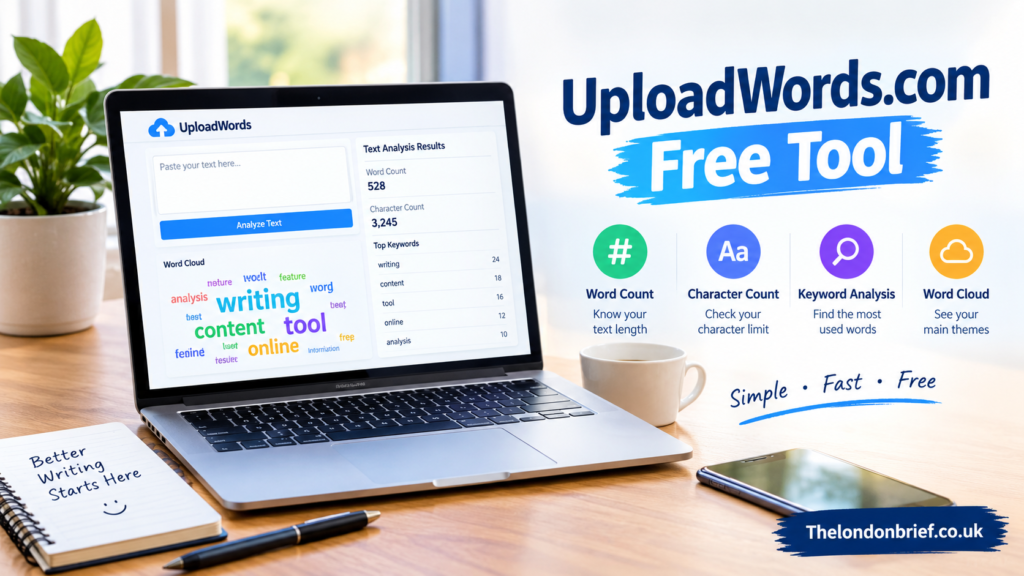
The uploadwords.com free tool offers a simple way to understand written content without spending hours checking every sentence manually. Whether you are a student preparing an assignment, a blogger editing an article, or a professional reviewing a document, analyzing your text can help you work more efficiently. With its word-count feature, character counter, keyword frequency analysis, and visual word cloud, UploadWords aims to make everyday writing tasks easier.
In a world where clear communication matters, small details can make a significant difference. A document may contain valuable information, yet repeated words, unclear topic focus, or incorrect length can affect its overall quality. Understanding what your text contains is an important step toward creating content that readers can follow comfortably.
What Is UploadWords.com?
UploadWords.com is a free online text-analysis tool designed to help users examine written content quickly. Its primary purpose is to show useful information about a text, including the total number of words, character count, and frequently repeated terms. It also provides a word cloud that presents common words visually, making recurring themes easier to recognize.
The platform is designed for people who need straightforward results rather than a complicated writing application. Users can paste their text into the tool or upload a supported text file, then analyze the content using the available controls.
One of its main attractions is accessibility. The website advertises its core tool as free to use without requiring account registration. This makes it a convenient option for occasional writing checks, classroom assignments, blog drafts, and other routine tasks.
However, a text analyzer has a specific purpose. It measures and displays patterns in writing rather than automatically correcting every grammatical error or verifying the accuracy of the information.
Key Features of the Tool
Word and Character Counting
Word count is one of the most useful features for anyone working with a specific length requirement. Students may need to keep an essay within an assigned limit, while writers may have to prepare an article that meets an editor’s requested length.
The tool displays the number of words in the submitted text. It also provides a character count, which is helpful when preparing short descriptions, social media captions, and other content with character limits.
Instead of estimating the length manually, users can obtain a quick measurement and make adjustments where necessary. This can save time during the final editing stage.
Top Keyword Analysis
Another useful feature identifies the words that appear most frequently in a passage. This gives writers a clearer picture of the language they use and helps them notice repeated terms that might otherwise escape attention.
For example, a long article about travel could repeat words such as destination, journey, or experience too often. Reviewing their frequency can encourage the writer to vary the language or remove unnecessary repetition.
Repeated words are not always a problem. Important subjects naturally require consistent terminology, especially in educational and technical documents. The goal is to understand the pattern and decide whether the wording serves the reader.
Visual Word Cloud
A word cloud turns frequently used words into a visual representation. Common terms appear more prominently, while less frequent words are usually displayed in smaller sizes.
This feature can help writers identify the main themes of a document at a glance. It may also help students explore recurring ideas in research notes or allow content creators to compare the intended subject of an article with the words actually used.
The generated image can be downloaded as a PNG file according to the tool’s published description. However, a word cloud should be treated as a quick visual aid rather than a complete summary of a document’s meaning.
How to Use UploadWords.com
Getting started is relatively straightforward. Open the tool page and decide whether to paste your writing into the text area or use the supported file-upload option. The website currently lists TXT files as supported, with a stated maximum file size of four megabytes.
After adding your content, select the analysis control to generate the available results. Review the word count, character count, frequently used terms, and word cloud. The interface also provides options for copying results and adjusting certain filters, including stopword removal and minimum word length.
These filters can make the results more relevant to a particular task. Removing common words, for example, may help bring meaningful terms into focus. Users should still review the output because a filter can sometimes remove words that matter in context.
Once the analysis is complete, use the findings to revise the original text. Remove unnecessary repetition, correct the length if needed, and make sure the central message remains clear.
Who Can Benefit From This Tool?
Students and Researchers
Students often work within strict word limits for assignments, reports, and essays. A reliable counting feature can help them check their progress before submitting their work.
Researchers may also find frequency analysis useful when reviewing notes or examining recurring terms in a document. However, the tool cannot replace careful reading, source evaluation, or proper academic referencing.
Bloggers and Content Creators
Bloggers regularly revise drafts to improve flow, clarity, and consistency. The uploadwords.com free tool can help them check article length and spot frequently repeated words before publication.
For example, a writer reviewing a detailed product guide could use the results to identify repetitive language and make the article easier to read. The tool supports editing, but the final decisions about tone, structure, and accuracy still belong to the writer.
Businesses and Marketing Teams
Professionals who prepare reports, presentations, newsletters, or promotional copy may also benefit from quick text analysis. Checking character counts can help when space is limited, while keyword frequency can reveal whether particular terms dominate a draft.
For business use, the tool is best suited to routine material that does not contain confidential information. Organizations should follow their own data-handling policies before submitting internal documents to any online service.
Benefits and Limitations
The main benefit is convenience. The tool combines several basic text-analysis functions in one place, reducing the need to perform simple calculations manually or move between separate utilities.
Its free-access model may appeal to users who need occasional checks without another subscription. The interface is also designed to be straightforward, and the website states that it works on mobile devices.
Nevertheless, there are limitations to consider. A high word count does not necessarily mean that an article is informative, and repeated keywords do not automatically demonstrate strong writing. The tool cannot independently determine whether a claim is true, whether an argument is persuasive, or whether a passage meets a reader’s needs.
Its results should therefore be treated as supporting information rather than a final quality assessment. Writers should combine automated measurements with thoughtful editing, fact-checking, and careful proofreading.
Privacy and Responsible Use
Privacy deserves attention whenever a tool processes text online. UploadWords states that content is used for analysis and is not stored or shared. Its published privacy policy also explains that limited technical information, such as browser details, usage metrics, and potentially IP addresses, may be collected.
These statements are useful, but they should not be interpreted as an independent security certification. Users should review the current privacy policy and use caution when handling sensitive material.
Avoid entering passwords, bank details, private identification numbers, confidential client records, or unpublished documents that must remain restricted. For sensitive work, an approved offline application or an organization-authorized platform may be more suitable.
Responsible use also means respecting copyright and ownership. Analyzing a document does not grant permission to reproduce someone else’s work or publish material without appropriate authorization.
Is UploadWords.com Worth Using?
For everyday writing checks, UploadWords.com can be a practical option. Its combination of word counting, character measurement, keyword frequency, and visual text analysis addresses several common editing needs without requiring a complex workflow.
The uploadwords.com free tool is particularly useful when you need quick measurements before submitting an assignment, publishing a blog post, or preparing a short business document. It can help you recognize patterns that deserve a closer look, although it cannot replace human judgment.
Whether it is the right choice depends on your requirements. People who need basic analysis may find its features sufficient, while those who require advanced grammar correction, collaboration, detailed document management, or stronger organizational controls may need a more specialized application.
Frequently Asked Questions
Is UploadWords.com free to use?
Yes. The website describes its main text-analysis tool as free and says users do not need to create an account to access it.
What information can the tool provide?
It can display word count, character count, and frequently used words. It also offers a visual word cloud and options to copy results or download the generated image.
Can I upload a document?
The tool lists TXT file uploads with a maximum size of four megabytes. It does not currently list DOCX files as a supported format, so documents in other formats may need to be converted to plain text first.
Does UploadWords.com improve grammar automatically?
Its main purpose is text analysis rather than comprehensive grammar correction. You should proofread the original writing separately or use a suitable editing application for grammar and spelling checks.
Is it suitable for confidential documents?
Exercise caution. Although the website makes privacy-related claims, users should avoid submitting sensitive information unless they have verified that the tool meets their security and privacy requirements.
Conclusion
The uploadwords.com free tool provides an accessible way to examine text, check length, identify frequently used words, and view writing patterns through a visual word cloud. Its straightforward approach can be helpful for students, bloggers, researchers, and professionals who want to make routine editing tasks more manageable.
The greatest value comes from using the results thoughtfully. Word counts help measure length, frequency reports highlight repetition, and visual analysis reveals patterns, but none of these features can guarantee clear, accurate, or engaging writing on its own.
By combining these measurements with careful reading, reliable research, and responsible handling of information, users can make better decisions about their work. For simple text-analysis needs, UploadWords.com is worth considering as a convenient starting point.