
Introduction
Typing.com is an online typing tutor designed to help students, teachers, and adult learners develop better keyboarding skills. In a world where computers are used for education, communication, and work, typing accurately and confidently has become an important everyday ability. However, many people still struggle with slow typing, frequent mistakes, and looking at the keyboard instead of the screen.
Learning to type correctly can make these tasks easier and more comfortable. An online typing platform offers a practical way to develop these skills through structured lessons, typing tests, and interactive activities. Whether someone is learning to use a keyboard for the first time or trying to improve their existing speed, the right practice routine can make a noticeable difference.
What Is Typing.com?
Typing.com is an online typing tutor and digital literacy platform that provides lessons for beginners and more experienced learners. It is particularly popular in educational settings because teachers can use its learning tools to support classroom instruction and monitor student progress.
The platform focuses on more than simply pressing keys quickly. Learners can develop keyboard familiarity, improve accuracy, understand punctuation, and gradually build the confidence needed for longer typing tasks. Its curriculum also extends into other areas of digital learning, depending on the course and account being used.
One of its main advantages is accessibility. Learners can practise through a compatible web browser without needing to install a separate desktop typing program. This makes it a practical option for school computer labs, home learning, and independent skill development.
Main Features and Learning Tools
The platform combines structured instruction with activities designed to keep learners involved. Instead of expecting beginners to memorise the entire keyboard immediately, lessons introduce keyboard skills progressively.
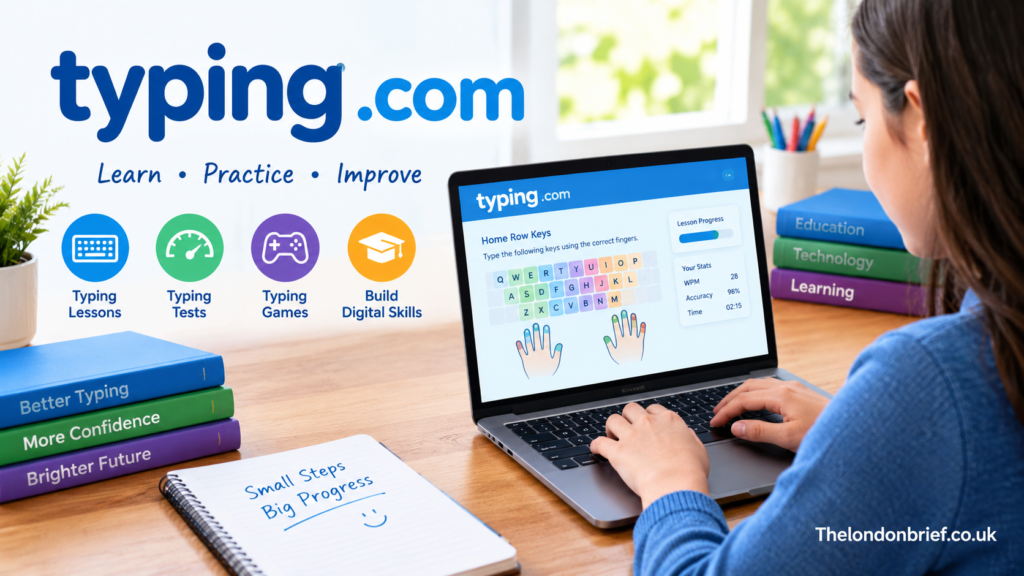
Typing lessons help learners become familiar with individual keys, finger placement, and common letter combinations. As they advance, activities introduce capital letters, numbers, punctuation, and more complex typing exercises.
Typing tests allow users to measure their performance during a timed exercise. These assessments can help learners understand their current speed and identify mistakes that need attention. Repeating tests over time also provides a practical way to evaluate progress.
Typing games add an interactive element to practice. Games can make repetition feel less demanding, particularly for younger learners who may find traditional exercises difficult to maintain.
The platform also offers educational tools beyond basic keyboarding. Depending on the curriculum and subscription, students may encounter digital citizenship, computer applications, technology foundations, coding, and other digital literacy topics.
Together, these resources make the learning experience more varied than simply completing the same typing test every day.
How Does the Platform Work?
Getting started generally involves opening the website and selecting an appropriate learning option. Students may use an independent learning account or access lessons through a classroom account created by a teacher.
After entering the learning area, users can begin with introductory lessons or choose a suitable curriculum. Beginners should start with basic keyboard familiarity rather than immediately attempting advanced speed challenges.
During practice, the exercises encourage learners to recognise keys and enter the displayed text correctly. As their skills improve, they can move towards longer words, complete sentences, punctuation, and timed activities.
The most useful approach is to pay attention to both speed and accuracy. Typing quickly may look impressive, but frequent mistakes can make writing slower overall because corrections take additional time.
Progress therefore comes from regular practice, careful finger placement, and a willingness to repeat lessons when necessary.
Benefits for Students and Beginners
Learning to type can support academic work in several ways. Students who become comfortable with a keyboard may find it easier to write assignments, complete digital assessments, take notes, and research information on a computer.
Improved typing skills can also reduce the frustration associated with entering long passages of text. Instead of searching for each letter individually, learners gradually begin to recognise key positions and type with less conscious effort.
Another benefit is improved confidence. Beginners sometimes feel discouraged when they cannot keep up with classmates or finish computer-based assignments quickly. Structured practice gives them a clear starting point and a way to measure improvement.
The platform can also be useful for adults who want to strengthen their computer skills. Office employees, job seekers, students in higher education, and people returning to work may all benefit from greater keyboard accuracy.
However, results vary according to starting ability, consistency, and the amount of time spent practising.
Why Teachers May Find It Useful
For educators, a typing program can make keyboard instruction easier to organise. Instead of preparing every exercise manually, teachers can use existing lessons and classroom tools to guide students through a learning sequence.
Teacher accounts provide features for assigning activities and reviewing student performance. Depending on the account, available tools can include progress reports, assessments, assignment management, and automated grading.
These features can help teachers recognise common difficulties. For example, one student might struggle with punctuation while another needs more practice reaching keys without looking down. Identifying these differences makes it easier to provide appropriate support.
The platform’s grade-based curriculum options also allow educators to select learning material suited to different age groups. Independent learners may have different curriculum choices from students working within a teacher-managed class.
Digital tools cannot replace personal instruction, but they can support classroom teaching by making practice more structured and progress easier to review.
Free and Paid Versions
One reason the platform attracts attention is the availability of a free version. According to its published support information, the free edition includes the core typing curriculum, lessons, tests, and games. This gives beginners an opportunity to practise without committing to a paid subscription.
A paid option called PLUS provides additional capabilities. Depending on the current plan, these can include further curriculum content, assignment tools, benchmarking, daily goals, and additional classroom monitoring features. The paid edition also removes advertisements.
For individual learners, the free edition may be enough to establish a regular practice routine. Schools that need broader digital literacy content or more extensive classroom management tools may find the additional subscription features more relevant.
Before choosing a plan, users should review the current features and conditions. Available tools, account options, and subscription details can change over time.
Privacy and Account Safety
Privacy deserves attention whenever students use an online learning service, especially when children are involved.
The platform’s published privacy policy explains that its data practices depend partly on whether users access the free or paid version. Account information and performance records may be processed to provide the service, while the free version may involve advertising-related data collection.
Parents and teachers should review the current privacy policy before setting up accounts for younger learners. Schools should also follow their own student-data policies and obtain any required permissions.
Strong account habits remain important. Students should avoid sharing passwords, use teacher-approved account details, and refrain from entering unnecessary personal information.
Although the service describes measures intended to protect user information, no online service can guarantee absolute security. Understanding its privacy practices helps families and educators make informed decisions.
Tips for Improving Typing Skills
The best way to improve typing is to practise consistently without turning every session into a race. A short daily session can be more manageable than a long session followed by several days without practice.
Beginners should learn the home-row keys and develop consistent finger placement. Keeping the eyes on the screen rather than constantly looking down at the keyboard encourages better key recognition over time.
Accuracy should come before speed. When mistakes become less frequent, learners can gradually increase their pace without sacrificing control.
It also helps to track progress over several sessions instead of worrying about individual results. A difficult test does not mean that improvement has stopped. Tiredness, unfamiliar text, and punctuation can all affect performance.
Finally, learners should connect practice with real tasks, such as writing a paragraph, completing an assignment, or entering information into a document. Applying keyboarding skills outside lessons helps make them useful in everyday life.
Frequently Asked Questions
Is Typing.com free to use?
Yes, the platform offers a free edition with core typing lessons, tests, and games. Additional educational features are available through its paid PLUS option.
Can adults use the platform?
Yes. Although it is widely used in schools, adults can also use typing lessons to improve their keyboarding accuracy, speed, and confidence.
Does it help improve typing speed?
Regular practice can improve typing speed and accuracy. However, results depend on a learner’s starting ability, consistency, and attention to correct technique.
Do students need to download software?
The learning service is browser-based, so a separate desktop installation is generally unnecessary. Users need a compatible device, an internet connection, and a functioning keyboard for the usual typing exercises.
Is it suitable for school students?
The platform provides educational tools and grade-based curricula designed for school learners. Teachers and parents should select suitable learning options and review the privacy requirements for student accounts.
Conclusion
Developing strong keyboarding skills can make education, communication, and professional work easier. A structured learning environment gives beginners a place to practise fundamental techniques while helping experienced users identify areas for improvement.
Typing.com brings together typing lessons, tests, games, and additional digital learning resources in one online platform. Its free core curriculum makes it a useful starting point for independent learners, while its broader classroom tools can support teachers and schools with more extensive needs.
The most important factor, however, is consistency. Learners who practise regularly, prioritise accuracy, and gradually challenge themselves are more likely to develop lasting skills. With patience and a sensible routine, typing can become a more natural, comfortable, and productive part of everyday computer use.