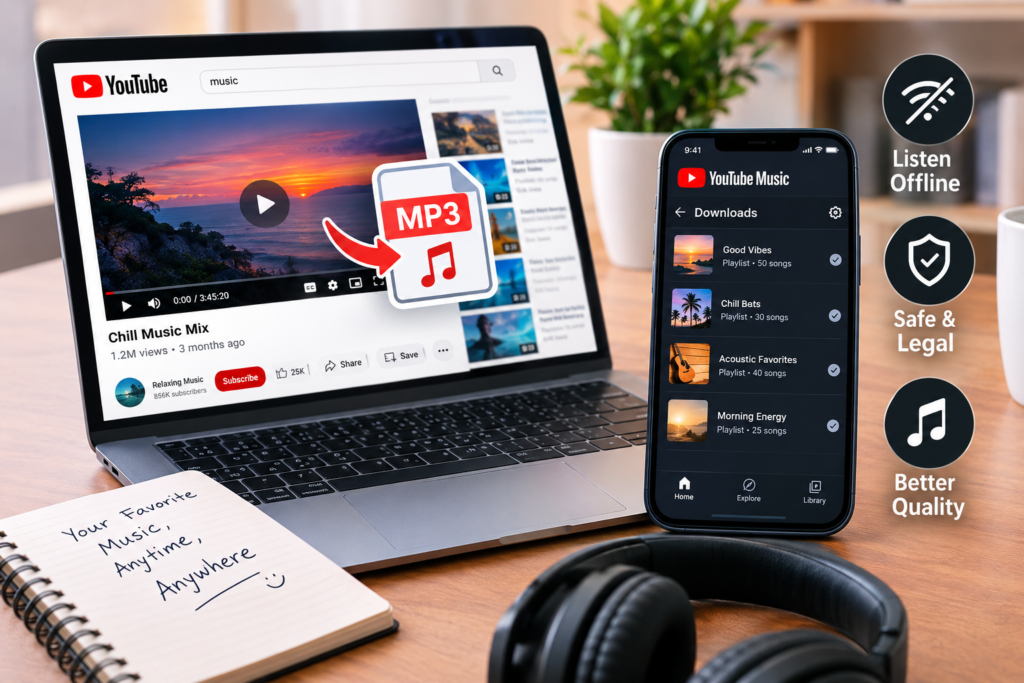

If you search for “download MP3 from YouTube,” you are looking for an easy way to enjoy music without an internet connection. YouTube has millions of music videos, live performances, interviews, podcasts, and other audio content, but saving that content as a separate MP3 file is not the same as downloading it for offline playback. Understanding the difference can help you choose a safer and more reliable option.
For most listeners, the simplest approach is to use YouTube Music or YouTube Premium’s built-in offline features. These options are designed to let users save eligible content inside the official apps, while avoiding many of the security, quality, and copyright concerns associated with unfamiliar downloading websites.
What Does “Download MP3 from YouTube” Mean?
The phrase “download MP3 from YouTube” is commonly used by people who want to turn the audio from a YouTube video into a standalone music file. An MP3 is a compressed audio format that can be stored and played on many compatible devices and applications.
However, an important distinction is often missed. YouTube’s official offline feature does not normally give users a separate MP3 file that they can freely move between devices. Instead, it stores downloaded content for offline playback within YouTube or YouTube Music. YouTube states that you can’t download audio, music, or MP3 files directly through the standard YouTube app.
This means that searching for an MP3 file and downloading content for offline listening are two different things. Knowing this difference can prevent confusion and help users avoid unreliable services.
The Official Way to Listen Offline
YouTube Music Premium provides an official way to keep music available when you don’t have an internet connection. Premium members can download songs, albums, playlists, videos, and eligible podcasts through the YouTube Music app. You can then play the downloaded material in the app without streaming it continuously.
This is particularly useful when travelling, commuting, exercising, or dealing with an unreliable connection. Instead of searching for a separate MP3 download from a YouTube service, users can save their preferred music directly through YouTube Music.
The system also works across common mobile platforms. YouTube Music offers offline downloads for Android and iPhone or iPad users with the required membership. Download availability and certain features can vary by country or region.
How YouTube Music Downloads Work
Downloading music through YouTube Music is straightforward. Users can open a song, album, or playlist and choose the download option in the app. The downloaded content is then available through the user’s library for offline listening.
YouTube Music also offers Smart Downloads, which can automatically save music based on listening history. This can be convenient for people who want offline music without manually selecting every track. The amount of content you can store depends partly on available device storage and the quality and length of the downloaded material.
There is also an important limitation. YouTube Music says Premium downloads require the device to reconnect to the internet periodically to maintain offline access. Its current help documentation states that users need to reconnect at least once every 30 days.
Why a Separate MP3 File Is Different
People searching for ” download mp3 from youtube often expect to receive an MP3 file that appears in their phone’s normal music folder. Official YouTube offline downloads work differently.
The YouTube app stores downloaded videos in an encrypted form that is intended for playback within the app. YouTube explains that these downloads are not placed in the device gallery like ordinary video files.
YouTube Music’s offline system is similarly designed around playback inside its service rather than creating unrestricted MP3 files. This protects the platform’s licensing arrangements and helps content owners maintain control over how their work is distributed.
For someone who wants convenient offline listening, this may not be a disadvantage. In fact, it removes the need to manage individual audio files, rename tracks, or worry about incompatible formats.
What About YouTube Videos You Own?
There is an important exception for content that you personally uploaded. YouTube allows creators to download their own uploaded videos from YouTube Studio. The official download option provides an MP4 version, with available resolution depending on the video.
If you own the original recording, you may already have the original audio or video file stored elsewhere. In that situation, working from your own source file can be much better than relying on an online conversion service.
Creators should also keep backups of original recordings, especially for music, podcasts, interviews, and other valuable projects. Keeping the original files provides better quality and gives the owner more control over future editing and distribution.
Are YouTube MP3 Downloading Websites Safe?
A major reason to be careful when searching for MP3 download sites for YouTube is that not every site offering this service is trustworthy. Some unfamiliar download pages may use aggressive advertisements, misleading buttons, unwanted redirects, or questionable software.
A website may also promise extremely high-quality audio while providing a low-quality file. In some cases, the downloaded file may contain incorrect metadata, poor audio quality, or other unwanted content.
For this reason, users should be cautious about entering personal information, installing unknown programs, granting unnecessary browser permissions, or downloading executable files to obtain an audio track.
A good general rule is simple: if a service asks you to install suspicious software or provide sensitive account information to download ordinary audio, it is better to stop and find a safer alternative.
Copyright Matters When Saving Online Music
Copyright is another important part of the discussion. Not every video on YouTube is free to copy, convert, or redistribute simply because it can be watched publicly.
Music recordings, performances, videos, and other creative works can be protected by copyright. The rights may belong to artists, record labels, publishers, filmmakers, or other rights holders.
The safest approach is to use official offline features or download material that you own or have permission to use. This is especially important if the audio will later be uploaded somewhere else, shared publicly, used commercially, or included in another creative project.
Personal offline listening and redistribution are not necessarily the same thing. Users should consider the rights attached to the specific content before copying or sharing it.
Can You Download Music Without Premium?
YouTube and YouTube Music offer some offline features in selected locations, but availability depends on the content, region, account type, and platform. YouTube explains that certain videos can be downloaded for offline viewing in select countries and regions, while Premium provides broader offline functionality.
YouTube Music also allows podcast downloads in circumstances where music downloads may require Premium. The exact features can change depending on location and the type of content involved.
Therefore, if you are looking for a completely free way to save a specific song as a standalone MP3, the official YouTube experience may not provide that option. Checking the download controls inside the official app is the most reliable way to see what is available for your account.
Choosing the Right Option for Your Needs
If your goal is to listen without mobile data, YouTube Music’s offline feature is usually the most straightforward route. It keeps your music connected to the official service and avoids the need to manage separate audio files.
If you created and uploaded the video yourself, downloading your own original content through YouTube Studio is another legitimate option. For music you have purchased or legally obtained elsewhere, keeping the original audio files may be more practical than converting a YouTube stream.
The key point is that downloading MP3s from YouTube shouldn’t automatically mean using the first third-party converter that appears in a search. Consider the source, the copyright status of the content, the security of the service, and whether you actually need a standalone MP3 file.
Frequently Asked Questions
Can I download an MP3 directly from the YouTube app?
No. YouTube’s official help documentation says the standard YouTube app does not provide a way to download audio, music, or MP3 files as standalone files. Offline video downloads are handled through YouTube’s own playback system.
Does YouTube Music allow offline music?
Yes. YouTube Music Premium members can download eligible songs, albums, playlists, videos, and podcasts for offline listening through the YouTube Music app.
Will YouTube Music downloads become normal MP3 files?
No. Official offline downloads are intended for playback through the service rather than being provided as unrestricted MP3 files that you can freely move between applications.
Can I download videos that I uploaded myself?
Yes. YouTube provides creators with options to download their own uploaded videos through YouTube Studio, subject to certain restrictions.
How long can YouTube Music downloads remain available offline?
YouTube Music currently says Premium users must reconnect to the internet at least once every 30 days to keep downloaded content.
Final Thoughts
Searching for how to download MP3 from YouTube often starts with a simple goal: enjoying favourite music without an internet connection. However, offline access doesn’t necessarily require converting videos into separate MP3 files. Official tools such as YouTube Music Premium provide a convenient way to download eligible content for offline playback while keeping the experience inside the supported platform.
For content you own, downloading your original files is another sensible approach. For copyrighted music and videos created by others, it is important to respect the rights attached to that material and avoid assuming that anything publicly available online can automatically be copied or redistributed.
In the end, the safest choice is to use official download features whenever they meet your needs, keep your own original media backed up, and treat unfamiliar third-party download services with caution. That approach provides a better balance of convenience, security, audio quality, and respect for creators.